How to Gather
This page explains how to get in, how to move around and where everything is.
The book club runs on Gather, a 2D virtual world where each attendee is a small avatar walking around a pixel-art map. Think video game crossed with video call. Or what the Metaverse would look like if Zuckerberg were a decent person.
Conversations happen by proximity. Walk up to someone and their video and audio fade in. Walk away and they fade out. That makes spontaneous hallway chat possible, which is the thing flat video calls cannot do. Talks, breakouts and mingling all happen in one space.
Getting in
Gather runs in your browser, no installation needed. Chrome works best. Use a desktop or laptop if you can. Click the event link, allow microphone and camera access, pick a name and avatar, and you're in.
You arrive in a short corridor that teaches you the controls in four signs. It takes about a minute, and it ends at the welcome desk, where a person in orange will answer anything. Been here before? There is a side lane that skips the corridor.
Moving around
Arrow keys move your avatar. Step into a group and you're in that conversation. Drift away and you're out of it, just like a real room. There is a text chat panel, a participant list you can use to locate someone and walk to them.
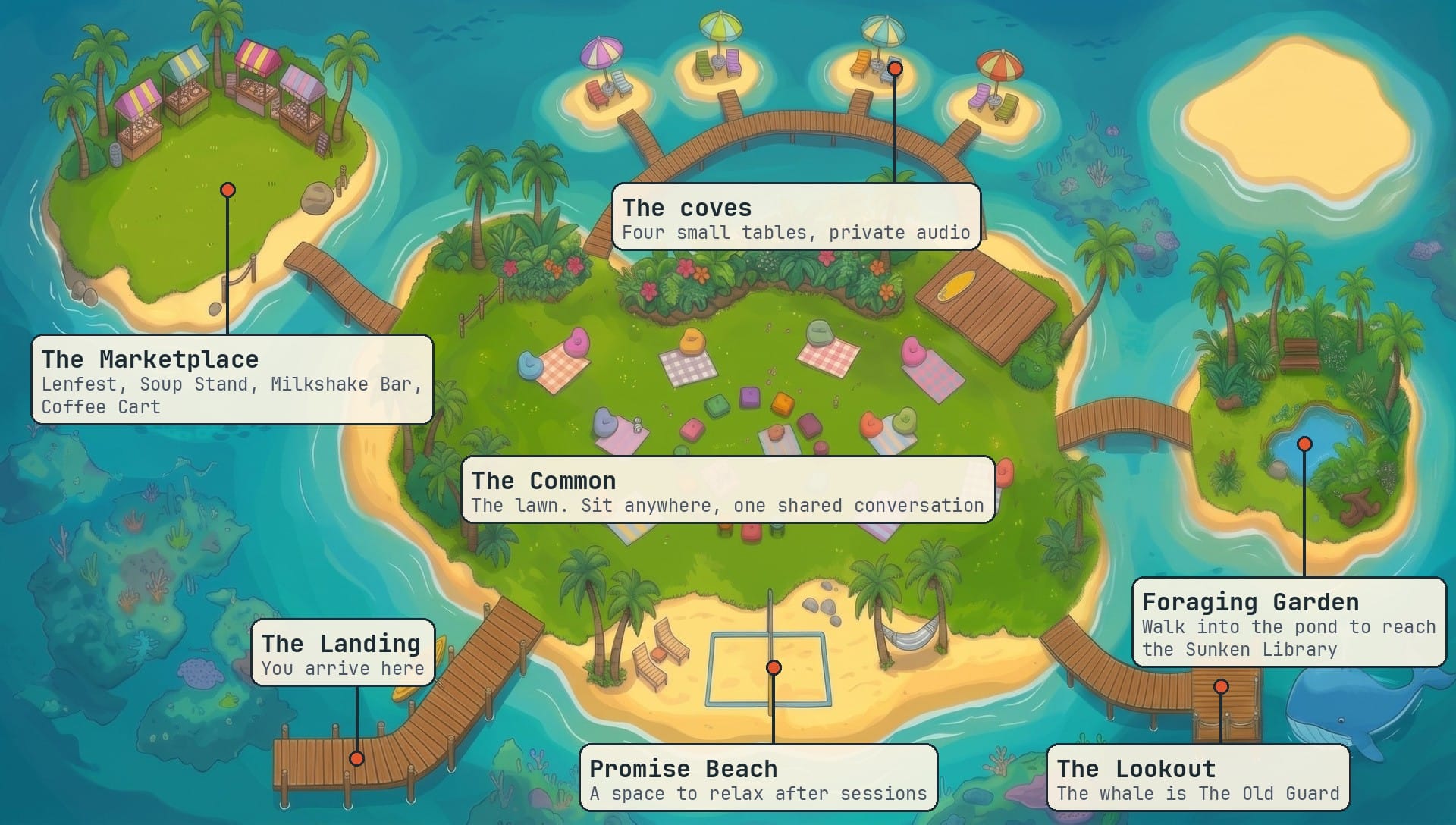
Here's a map of the island:
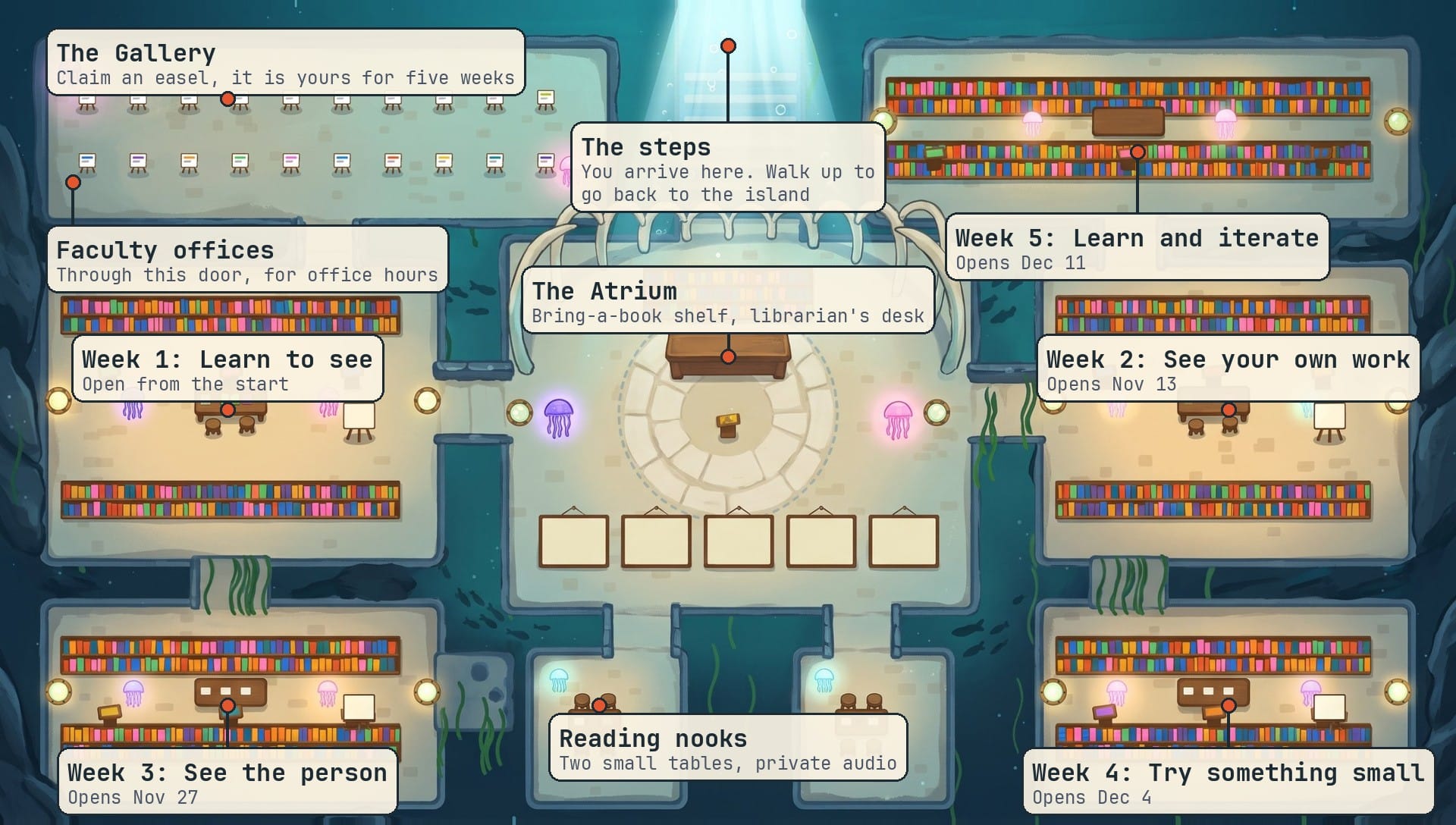
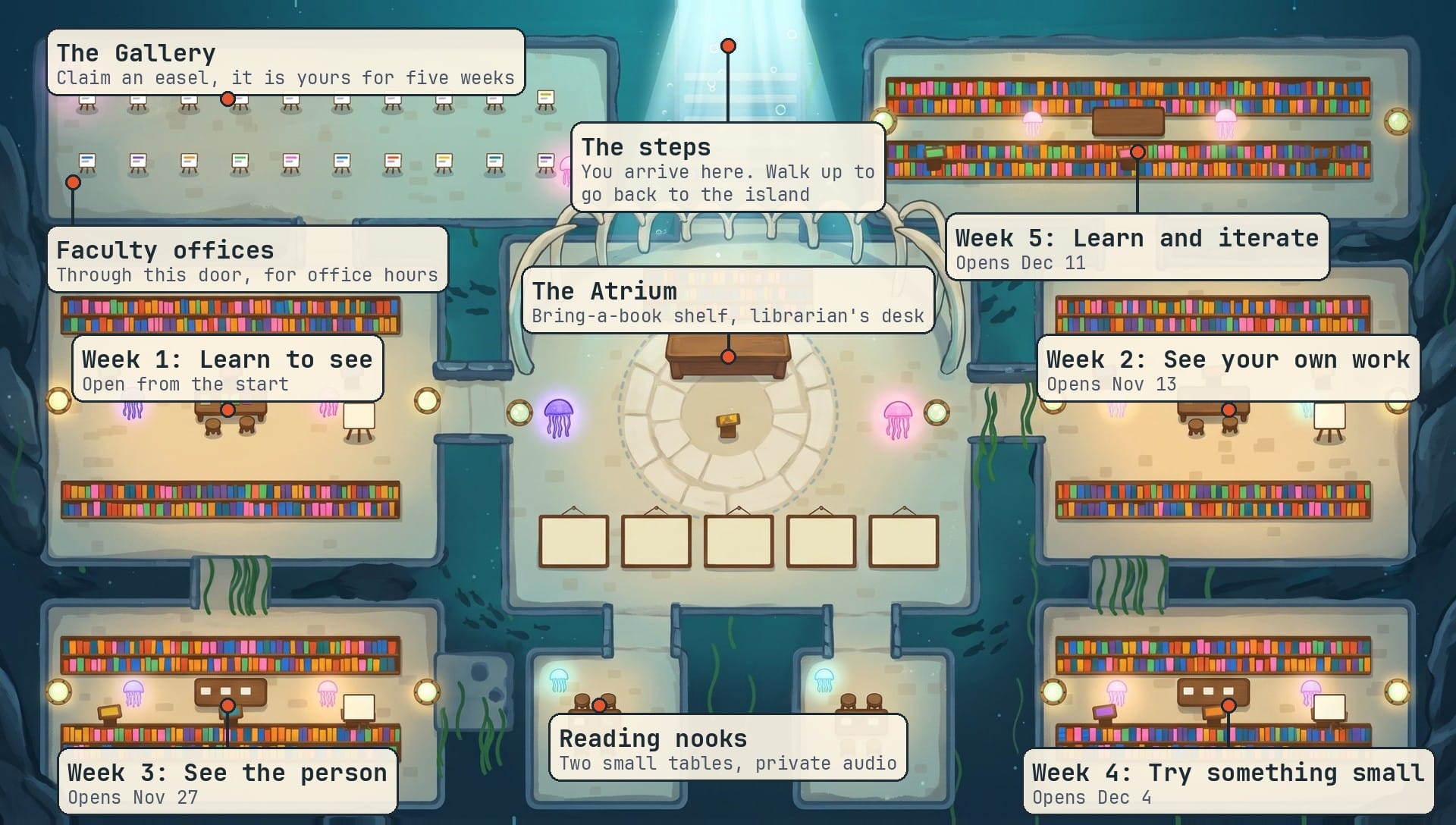
and here's a map of the library (walk into the pond to reach the underground space):
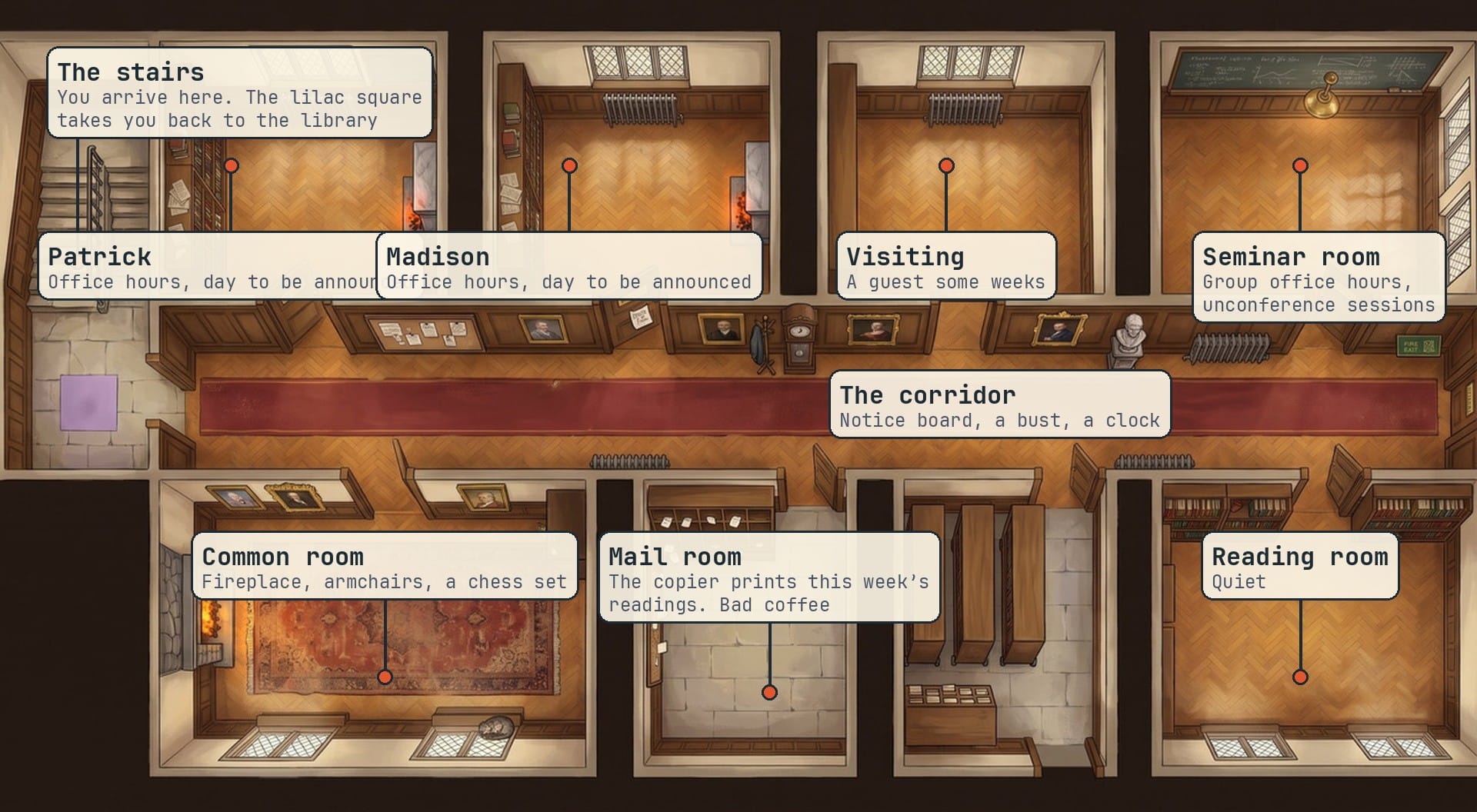
- Offices: where the facilitators hold office hours. Go through the door beside the librarian's desk in the library.
- If you can find it there's a hidden race track for breaks. No serious book club business here.
Useful keys:
xinteract with an objectgghost mode, walk through crowds without joining their conversationzdancefconfetti
Sound, and the one rule of the venue
Gather does not mute anyone automatically. When you are in a room or on island, your open microphone reaches everyone in it. So the one rule: stay muted unless you are speaking. Everything else on this page is optional.
You do not need to remember any of this.
If you can play a simple video game and join a video call, you already know how to use Gather. Join five minutes early to get comfortable. Headphones make everything sound better. Use Chrome. We'll already be there if you have questions and you can reach us anytime at servicedesk@gazzetta.xyz.